
Plan it with your team. Ship it with agents.
Boards, a wiki, files, and coding agents in one workspace. Plan and track work together, then hand tasks to an agent that codes on its own branch while you review every change.
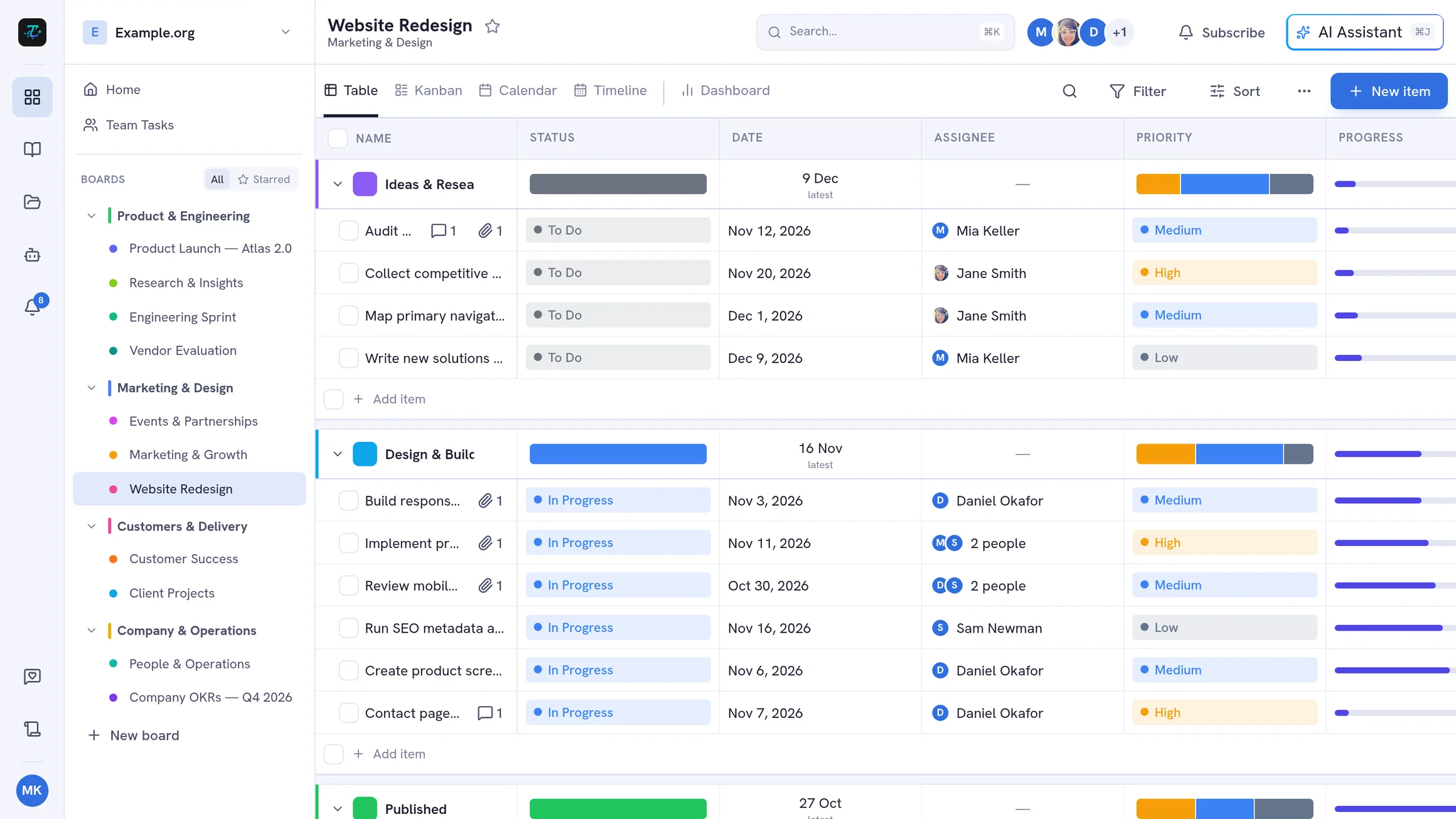
Boards, wiki, files, and agents — side by side
Everything your team works on lives in one workspace, one click apart in the navigation rail.
Plan and track the work
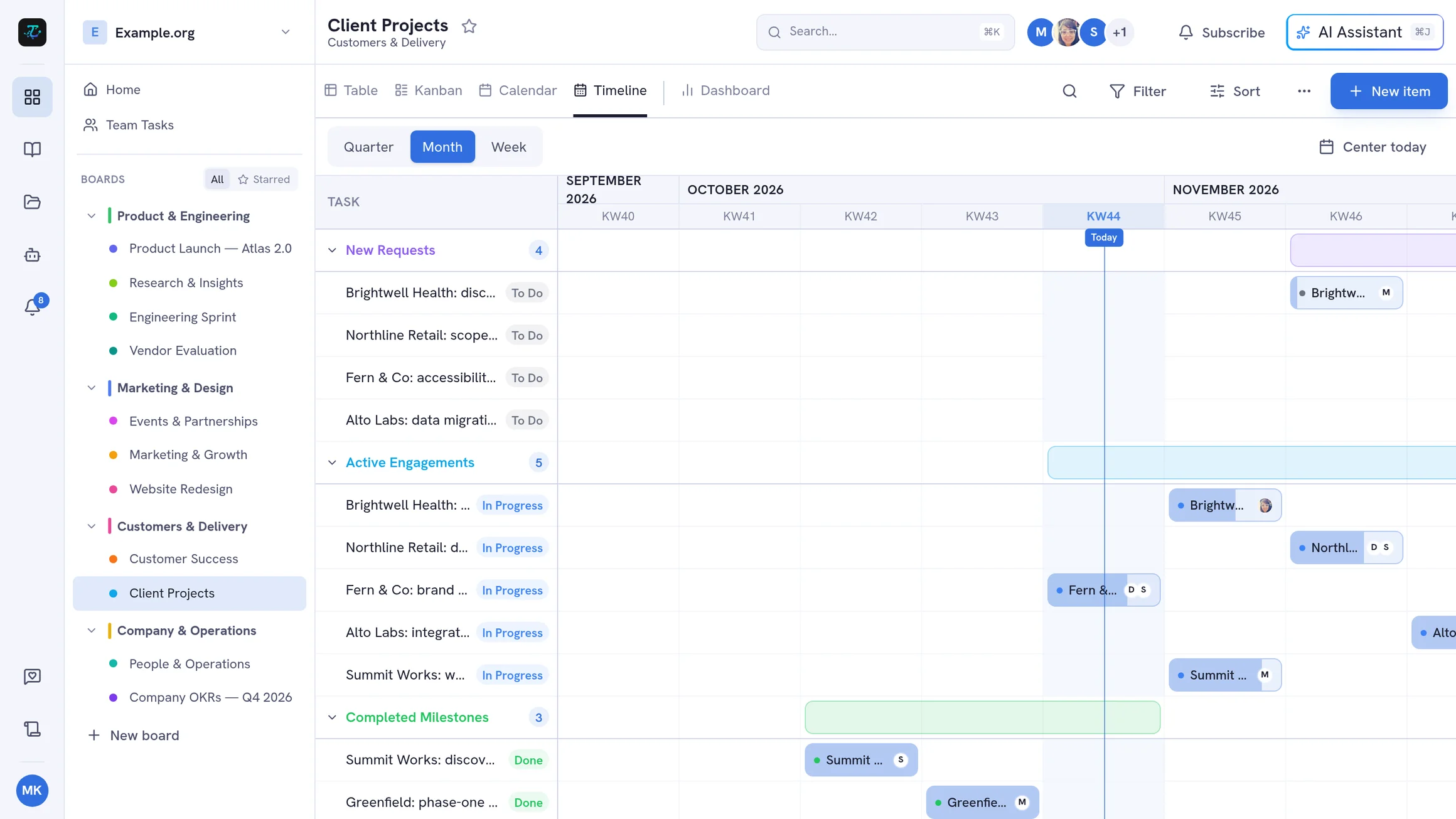
Boards hold your tasks in groups, with the custom fields, views, and automations your process needs.
- Table, Kanban, Calendar, Timeline, and Dashboard views
- 12 custom field types, sub-tasks, and dependencies
- Automation rules, recurring tasks, and time tracking
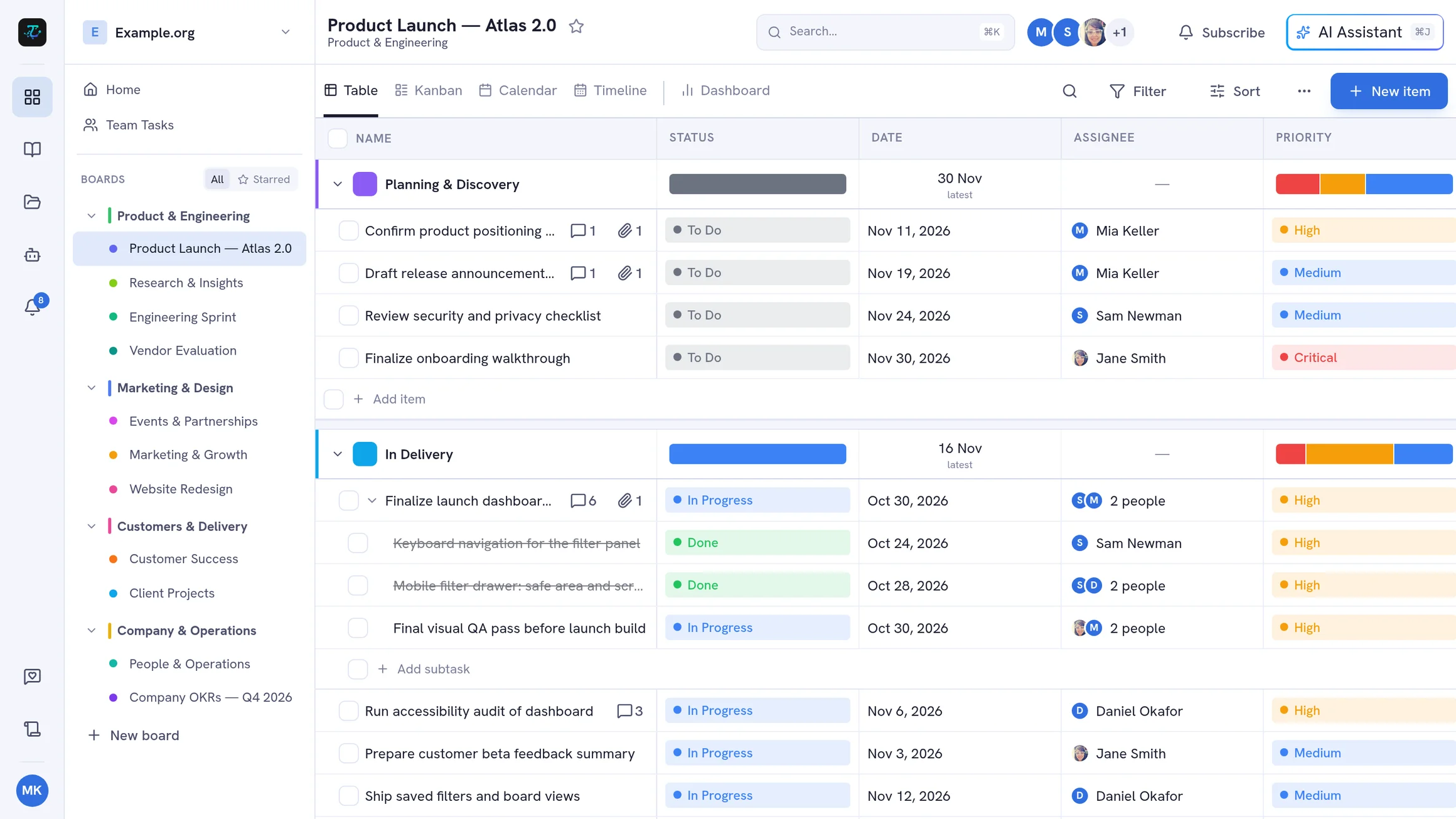
From task to merged code, without leaving TskVlo
Every workspace gets its own private agent container. Connect a repository, describe what should change, and an agent works on its own branch — with every step, diff, and commit in front of you.
- 1
Start from a task
Open a task's Code tab and start a session — its title, description, and comments become the agent's first message.
- 2
Watch the agent work
Messages, reasoning, tool calls with diffs, plans, and screenshots stream in live. Queue follow-ups or stop a turn anytime.
- 3
Review and preview
Check every change, edit files yourself, and try the running app in a live preview right next to the chat.
- 4
Commit, push, and merge
Commit as yourself with an AI-written message, push the branch, merge it — and the commits are linked back to the task.
Loops for bigger work
An orchestrator plans the request into tasks, fresh agents work them one at a time, and every task that passes its check becomes a commit.
Live preview
Start your app per session from its run configuration and see it on a private address — phone to desktop sizes, hot reload included.
Test services
PostgreSQL, MariaDB, Redis, and S3 for agents to test against, with an isolated account for your workspace.
Project wiki and rules
Every agent reads the project wiki and your standing rules first — and can keep the wiki up to date before a branch is pushed.
Tools and a browser
Switch on your workspace's MCP servers per project, plus a built-in browser for opening pages and taking screenshots.
Your providers, your keys
Use OpenCode Go, Mistral, OpenAI, or any OpenAI-compatible endpoint. Keys are checked on save and stored encrypted.
Why teams choose TskVlo
Privacy First
Your data is encrypted, never sold, and processed in full compliance with GDPR. You stay in control.
Fully Customizable
12 field types, five board views, automation rules, and board templates — shape TskVlo to your exact workflow.
AI-Ready
Coding agents work on your repositories, an AI assistant drafts tasks, and a full MCP server lets Claude and other assistants manage your boards.
Built for Teams
Real-time collaboration, role-based access, notifications, comments, and full audit trails.
Everything your team needs
A complete toolkit for task management — no plugins required.
Custom Fields (12 types)
Text, numbers, dates, people, tags, ratings, progress, formulas, and more.
Five Board Views
Table, Kanban, Calendar, Timeline, and Dashboard — switch anytime, per board.
Automation Rules
Trigger-condition-action automation. Move items, update fields, and archive completed work.
Time Tracking
Log time manually or use the built-in timer. Track billable hours per task.
AI Assistant & MCP
Draft tasks from plain language, and let Claude or other assistants manage your boards through the MCP server.
Comments & Reactions
Threaded comments with emoji reactions and pinning. Attach files directly to comments.
Forms & Templates
Public forms you can embed on any website, email intake per board, and ready-made board templates.
Workspace Files
Every upload and attachment of the workspace in one file manager — with folders, previews, and drag-and-drop.
Up and running in minutes
Join the Beta
Create your free account in seconds. No credit card required. Beta users lock in 50% off when paid plans launch.
Configure
Create boards and custom fields that match your workflow, and connect your repositories for coding agents.
Collaborate
Invite your team, assign tasks, track progress in real time.
Built for every team
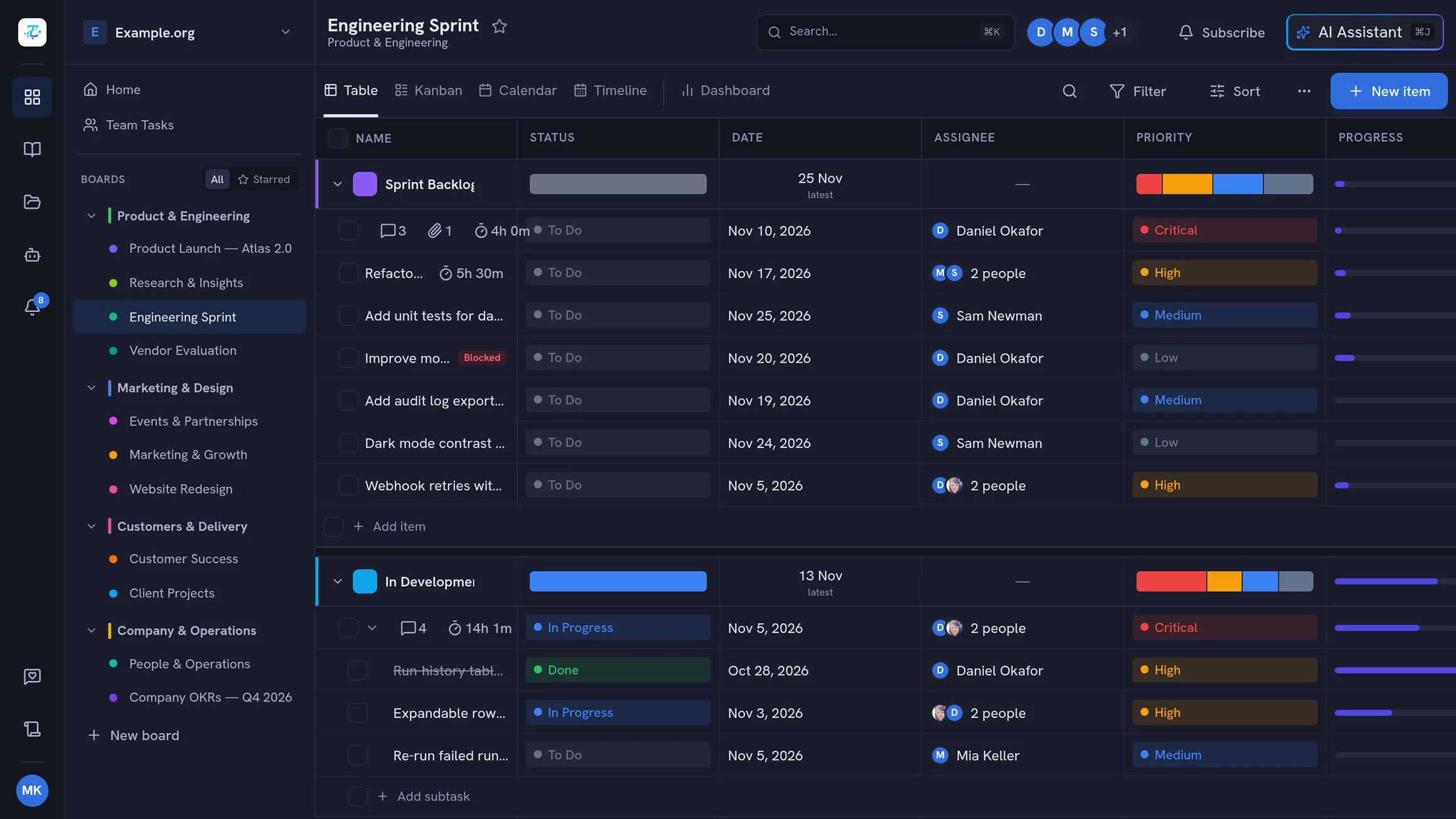
Software Development Teams
Track sprints and bugs, then hand tasks to coding agents that work on their own branches — review, push, and merge right from the board.
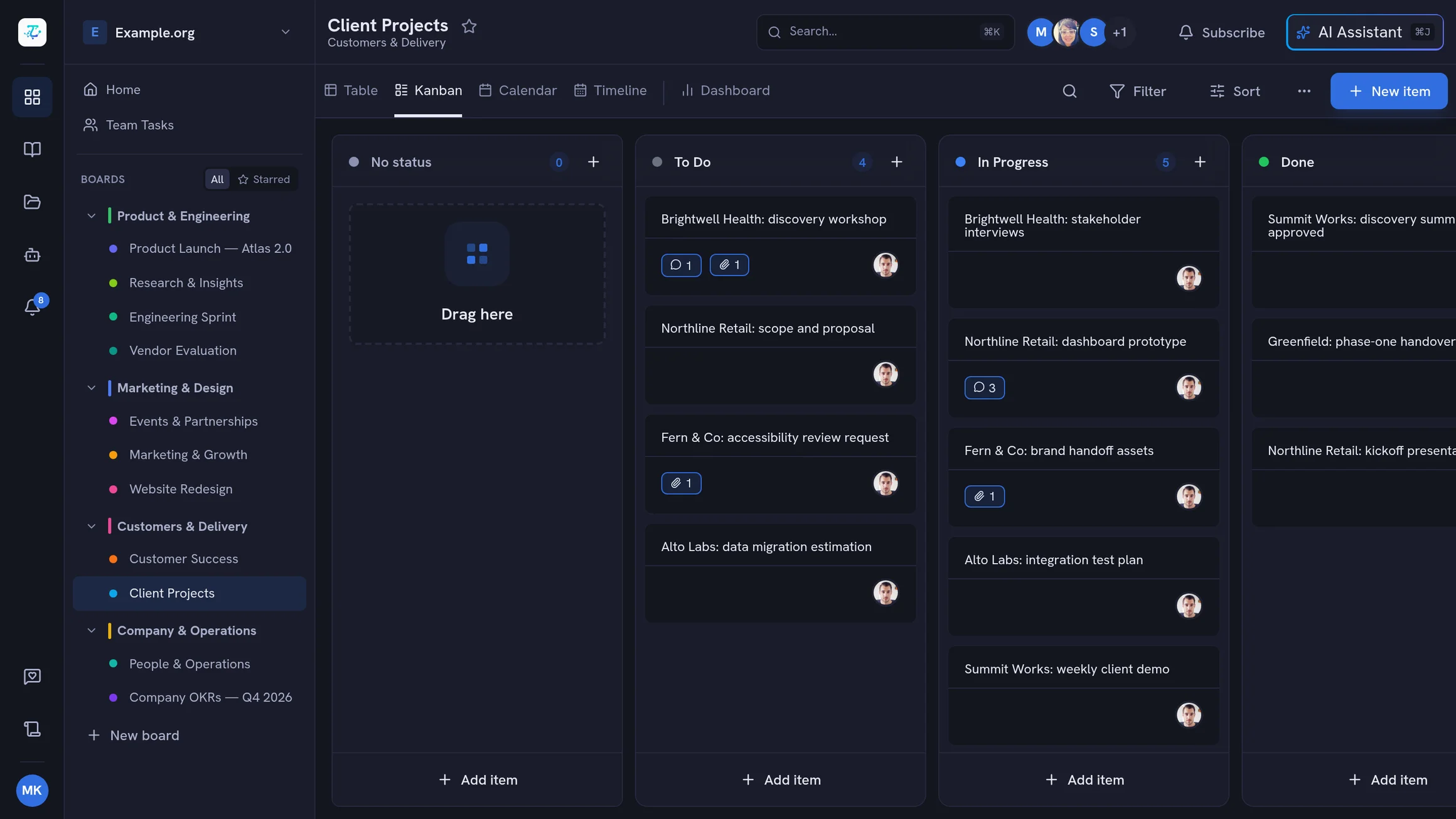
Creative Agencies
Manage client projects with custom fields, track deliverables with file attachments, log time for accurate billing.
Freelancers & Consultants
Track multiple client projects, log billable hours, manage deliverables — all in one unified workspace.
Ready to take control of your workflow?
Join the public beta — free during beta, all features included, unlimited users. Lock in 50% off when paid plans launch.